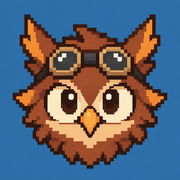
Owlboy Sprites: A Practical Guide to Pixel Art, Animation, and Asset Study
Explore Owlboy sprites, animation techniques, sprite resources, and practical ways to study the game's detailed pixel art.
Owlboy’s expressive characters prove that pixel art can feel as fluid and emotionally rich as hand-drawn animation. Studying Owlboy sprites matters because they offer artists, animators, and game-design students a strong example of how silhouettes, color, timing, and small movements can create personality. Whether you want to analyze Owlboy sprites, find reference sheets, or improve your own pixel-art workflow, this guide explains what to look for and how to use available materials responsibly.
What Makes Owlboy Sprites Stand Out?
Developed by D-Pad Studio, Owlboy combines a high-resolution presentation with carefully constructed pixel artwork. Its environments may attract attention first, but the character sprites carry much of the game’s emotional storytelling.
Otus, the silent protagonist, communicates through posture, facial expressions, and movement rather than spoken dialogue. Supporting characters likewise have recognizable poses and animation rhythms. That clarity is especially valuable in scenes containing layered backgrounds, particles, lighting effects, and moving enemies.
The game’s long development period also helped establish a cohesive visual identity. Its artwork does not simply imitate an older console’s technical restrictions. Instead, it uses pixel art as a deliberate modern medium.
| Visual Element | How Owlboy Uses It | Lesson for Pixel Artists |
|---|---|---|
| Silhouette | Characters remain identifiable against detailed scenery | Test sprites as solid, single-color shapes |
| Color palette | Distinct clothing and body colors separate characters | Reserve key colors for focal features |
| Facial expression | Small eye, brow, and mouth changes communicate emotion | Prioritize readable expressions over excessive detail |
| Secondary motion | Capes, feathers, hair, and clothing respond to movement | Animate flexible parts after establishing the main pose |
| Exaggeration | Reactions often use larger poses than realistic movement | Push key poses to improve readability |
| Animation timing | Pauses and quick transitions add weight and personality | Adjust frame duration instead of adding frames automatically |
One reason Owlboy sprites feel unusually alive is that motion rarely seems isolated to a single limb. A turn, landing, or startled reaction can affect the entire pose. This creates a sense of intention even when the animation uses a relatively compact sequence.
For a legitimate overview of the game, its features, and supported platforms, visit the official Owlboy website.
How to Find and Organize Owlboy Sprite References
Sprite-reference websites may host character sheets or extracted graphics from the PC version of Owlboy. The Spriters Resource has an Owlboy game listing, although access may occasionally be interrupted by automated security verification. Availability, sheet organization, and downloadable assets can change over time.
Before downloading anything, distinguish between three common resource types:
| Resource Type | Typical Contents | Best Use | Important Limitation |
|---|---|---|---|
| Sprite sheet | Multiple poses arranged in one image | Studying animation and proportions | Frames may lack timing data |
| Animation capture | Frames recorded from gameplay | Reviewing motion in context | Effects can obscure the base sprite |
| Screenshot | Character shown within the finished scene | Studying scale, lighting, and contrast | Usually unsuitable for clean extraction |
| Fan reconstruction | Community-made redraw or assembled sequence | Comparing interpretations | May differ from the original asset |
| Official promotional art | Approved images released by the developer | General reference and discussion | Often not a raw in-game sprite |
Community reports may describe certain sheets as “complete,” but that label should be treated cautiously. A sheet might omit alternate expressions, transitional frames, palette changes, effects, or sprites that appear only in scripted scenes.
A simple reference-management system prevents confusion:
- Create separate folders for playable characters, allies, enemies, effects, and interface elements.
- Preserve the source filename rather than immediately renaming every image.
- Save the source page URL in a text note.
- Record whether the image is a direct extraction, screenshot, or fan-made reconstruction.
- Keep edited studies separate from untouched reference files.
- Note the date accessed because hosted resources may later change.
| Suggested Folder | Store Here | Useful Notes to Record |
|---|---|---|
characters | Otus and supporting cast | Pose, direction, costume, expression |
enemies | Standard foes and bosses | State, attack type, damage frame |
effects | Dust, impact flashes, projectiles | Blend mode, loop length, screen context |
environment | Props, doors, platforms, foliage | Tile dimensions and repeating patterns |
ui | Icons, portraits, menus | Scale and intended screen placement |
studies | Your annotations and redraws | Source, date, purpose, modifications |
This structure is useful even if you collect only a few Owlboy sprites. It also reduces the risk of accidentally presenting a fan edit as an original game asset.
How to Study Owlboy Sprites Frame by Frame
The best way to learn from a sprite sheet is not to copy it pixel for pixel. Break it into design decisions that can transfer to your own work.
Start with a short sequence such as an idle, takeoff, landing, or reaction animation. Identify the major storytelling poses before examining individual pixels. If those poses remain understandable when reduced to silhouettes, the animation has a strong foundation.
A Repeatable Analysis Workflow
| Step | What to Do | Question to Ask | Practical Output |
|---|---|---|---|
| 1. Isolate | Crop one animation sequence | Where does the action begin and end? | A clean strip of related frames |
| 2. Measure | Record each frame’s dimensions | Is the canvas fixed or variable? | Width and height notes |
| 3. Mark anchors | Track the head, torso, hands, and feet | Which point controls the motion? | A simple motion path |
| 4. Find extremes | Select the strongest poses | Which frames communicate the action alone? | Two to four key poses |
| 5. Compare spacing | Measure movement between frames | Does the action accelerate or slow down? | Timing and spacing notes |
| 6. Check overlap | Observe hair, feathers, and clothing | Which parts follow the body late? | Secondary-motion diagram |
| 7. Rebuild | Create an original animation using the principle | Can the technique work with a new character? | A legally safer practice piece |
When analyzing Owlboy sprites, pay close attention to anticipation and recovery. A character may compress before rising, lean before changing direction, or settle after landing. These small transitional choices make an action feel physical.
Frame count alone does not determine quality. A four-frame animation with purposeful spacing can communicate more clearly than a twelve-frame animation in which every pose changes by the same amount.
| Animation Issue | Likely Cause | Improvement |
|---|---|---|
| Movement feels mechanical | Equal spacing between every frame | Vary spacing to show acceleration |
| Character seems weightless | No anticipation or landing response | Add compression before and after motion |
| Pose is hard to read | Arms and body overlap | Separate major shapes in silhouette |
| Animation looks busy | Every feature moves equally | Establish a hierarchy of motion |
| Loop visibly jumps | First and last frames do not connect | Compare positions and direction at the seam |
| Expression disappears | Facial features are too subtle | Increase contrast or exaggerate the key shape |
Player experience commonly emphasizes the game’s expressive character acting, especially during dialogue and reaction scenes. That observation is useful, but artists should verify specific frame behavior directly through gameplay footage or legally accessed copies of the game rather than relying only on memory.
Practical Pixel-Art Lessons You Can Apply
You do not need the original project files to learn from Owlboy sprites. Several techniques can be tested in common pixel-art tools such as Aseprite, GraphicsGale, or Krita.
Build a Readable Silhouette First
Draw the character as a one-color shape at the intended display size. Ask another person to identify the pose without seeing interior details. If the action is unclear, changing the outline will usually help more than adding highlights.
Use Color to Establish Hierarchy
Assign the strongest contrast to the character’s face or primary action area. Nearby costume colors can be more restrained. This keeps the viewer’s attention on the information that matters during motion.
Animate From the Center Outward
Establish the head and torso first, then add arms, legs, clothing, and accessories. This workflow reduces drifting proportions and keeps secondary animation connected to the main action.
Test Frames at Multiple Speeds
A sequence that looks correct while scrubbing frame by frame may fail at gameplay speed. Preview it slowly, at its intended timing, and slightly faster than intended.
| Practice Exercise | Time Budget | Constraint | Skill Developed |
|---|---|---|---|
| Silhouette redraw | 15 minutes | Use one color only | Pose clarity |
| Four-frame idle | 30 minutes | Move no more than three major forms | Motion hierarchy |
| Takeoff sequence | 45 minutes | Include anticipation and follow-through | Weight and timing |
| Emotion set | 60 minutes | Create joy, fear, anger, and surprise | Character acting |
| Palette study | 30 minutes | Use no more than 12 colors | Color economy |
| Original tribute scene | 2–3 hours | Use no copied pixels or characters | Applying principles independently |
For an especially useful exercise, examine one set of Owlboy sprites for five minutes, close the reference, and create a new flying character from memory. The goal is not accurate reproduction. It is to retain principles such as strong posing, delayed accessory movement, and clear color grouping while producing an original design.
Copyright, Attribution, and Responsible Use
Game sprites are copyrighted creative assets. Finding a downloadable sprite sheet does not automatically grant permission to republish it, sell it, place it in another game, mint it as a digital collectible, or use it in commercial merchandise.
Educational analysis and private study are different from asset redistribution. Laws and exceptions also vary by jurisdiction, so do not treat a resource website’s download button as a universal license.
| Intended Use | General Risk Level | Safer Approach |
|---|---|---|
| Private visual study | Lower | Keep references local and document the source |
| Critical article or review | Context-dependent | Use limited imagery with meaningful commentary |
| Fan animation | Moderate | Review developer policies and avoid monetization |
| Commercial game | High | Create original assets or license artwork |
| Merchandise | High | Obtain explicit permission from the rights holder |
| Re-uploading full sheets | High | Link to the source page instead of duplicating files |
If you publish an analysis of Owlboy sprites, use only the amount of visual material needed to make your point. Add original commentary, credit the game and developer, link to an authorized source when possible, and avoid offering extracted files as your own download.
Attribution is good practice, but it is not a substitute for permission. The safest route for a portfolio piece is to show your original character and explain which broad animation principles inspired the work.
Frequently Asked Questions
Where can I find Owlboy sprites?
Sprite-reference databases may maintain Owlboy pages containing extracted sheets, though access and availability can change. You can also study character animation through your own legally obtained copy of the game, official promotional media, and gameplay captures created for personal analysis.
Can I use Owlboy sprites in my own game?
Not without appropriate permission or a license from the rights holder. Commercial and public projects should use original artwork, commissioned assets, or sprites released under terms that explicitly allow your intended use.
Why do the character animations look so expressive?
Strong silhouettes, exaggerated key poses, controlled timing, facial changes, and overlapping motion all contribute. The characters’ accessories and clothing often reinforce the main action instead of moving independently.
What is the best way to learn from Owlboy sprites?
Study one short animation at a time. Identify its key poses, track major body anchors, inspect frame spacing, and then apply those principles to an original character. This teaches transferable animation skills without simply duplicating copyrighted pixels.
Related Guides
Owlboy Art Book Guide: What Fans Should Know Before Buying
Explore Owlboy art book options, official sources, collector checks, and ways to enjoy the game's detailed pixel art.
Owlboy Pixel Art: How Its Color, Animation, and Detail Create a Living World
Explore how Owlboy pixel art uses color, animation, silhouettes, and layered environments—and learn techniques for your own pixel scenes.
Owlboy Soundtrack Guide: Why Jonathan Geer’s Soaring Score Still Resonates
Explore the Owlboy soundtrack, its orchestral style, standout themes, musicians, formats, and lasting appeal among players.
Owlboy Trailer Guide: What the Nintendo Switch Preview Reveals
Explore the Owlboy trailer, its Switch release details, gameplay highlights, visual style, and what to watch for before playing.